Your Words, Client-Ready

Paste what you wrote. Get a diagram or a deck to edit and export, every word kept.

Or try a sample

Edit and export

How It Works

Three steps and no account to make.

Website launch plan:1. Discover: Interview five customers and list what they need2. Design: Sketch the key pages and test them with two people3. Build: Put the pages online behind a passcode4. Launch: Open the site and tell the list

1Paste Your Text

A list, a paragraph or a whole page of notes. Drop a text file if that is easier.

Website launch planDiscoverInterview fivecustomers and listwhat they needDesignSketch the keypages and test themwith two peopleBuildPut the pages onlinebehind a passcodeLaunchOpen the siteand tell the list

2Pick How It Looks

It reads your text and builds the layout that fits, with two more to compare.

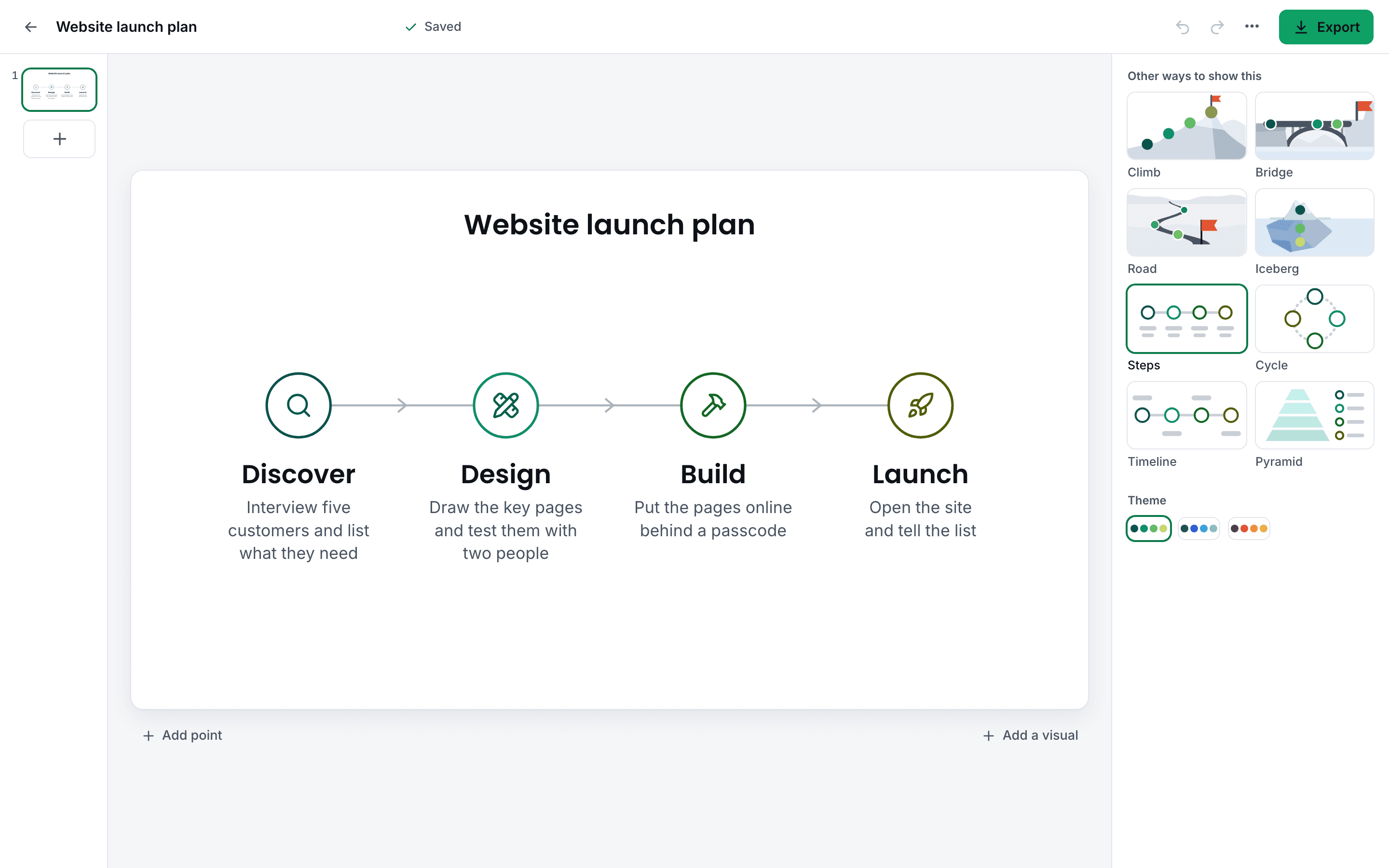
The editor with the plan open, ready to export
Website launch planDiscoverInterview fivecustomers and listwhat they needDesignSketch the keypages and test themwith two peopleBuildPut the pages onlinebehind a passcodeLaunchOpen the siteand tell the list
This quarter in numbers$1.2MRevenue38%Growth412New customers2.1%Churn
The weekly updateBeforeEach update took half a day to formatAfterThe same update isready in ten minutes

PNG, PowerPoint, PDF or SVG

3Edit and Export

Change any word or colour, then take one visual or the whole deck to your slides, your doc or your chat.

Proof You Can Check

These numbers come from the box at the top of this page. Change the text and watch them.

0

Words Changed

It lays out what you wrote, in the order you wrote it. Nothing is added or rewritten.

Instant

To Build It on This Device

Ready in under a second, measured on your device.

10

Layouts to Choose From

Steps, cycle, timeline, pyramid, numbers and side by side, plus four drawn scenes. It picks one and shows two more.

Look Free, Pay Once to Edit

Open any visual and see it in full, with no account. Editing and the download come with one payment: Lifetime is $69 once, and nothing renews.

  • Every layout and look
  • Exports carry no badge
  • No credit count
  • Works on your phone

What People Ask First

Something else on your mind? Contact us

Does it change my words?

No. It lays out what you wrote, in the order you wrote it. You can edit any word yourself once the visual is on screen.

Is it free?

Looking is free: open any slide and see it in full, with no account. Editing and the download come with one payment, Lifetime or Lifetime Plus. Nothing ever renews.

What can I export?

PNG for chat and docs, PowerPoint for editing in your slide app, PDF for print and sending, and SVG for design tools. In PowerPoint and SVG your text stays text you can edit.

Does it work on a phone?

Yes. You can paste, edit and export on a phone with the same tools you get on a laptop.

What happens to my text?

It stays on your device. The layout is built in your browser, so your words are not sent to us.

Which layouts can it make?

Ten in all: steps, cycles, pyramids, timelines, side by side comparisons and number tiles, plus four drawn scenes. It picks the one that fits your text and shows two more.


Paste Your Text, Get a Finished Slide